// Guide
Developer API
Query verified Citizen ID profiles from your own site or tools — API keys, forward and reverse lookup endpoints, and privacy behavior.
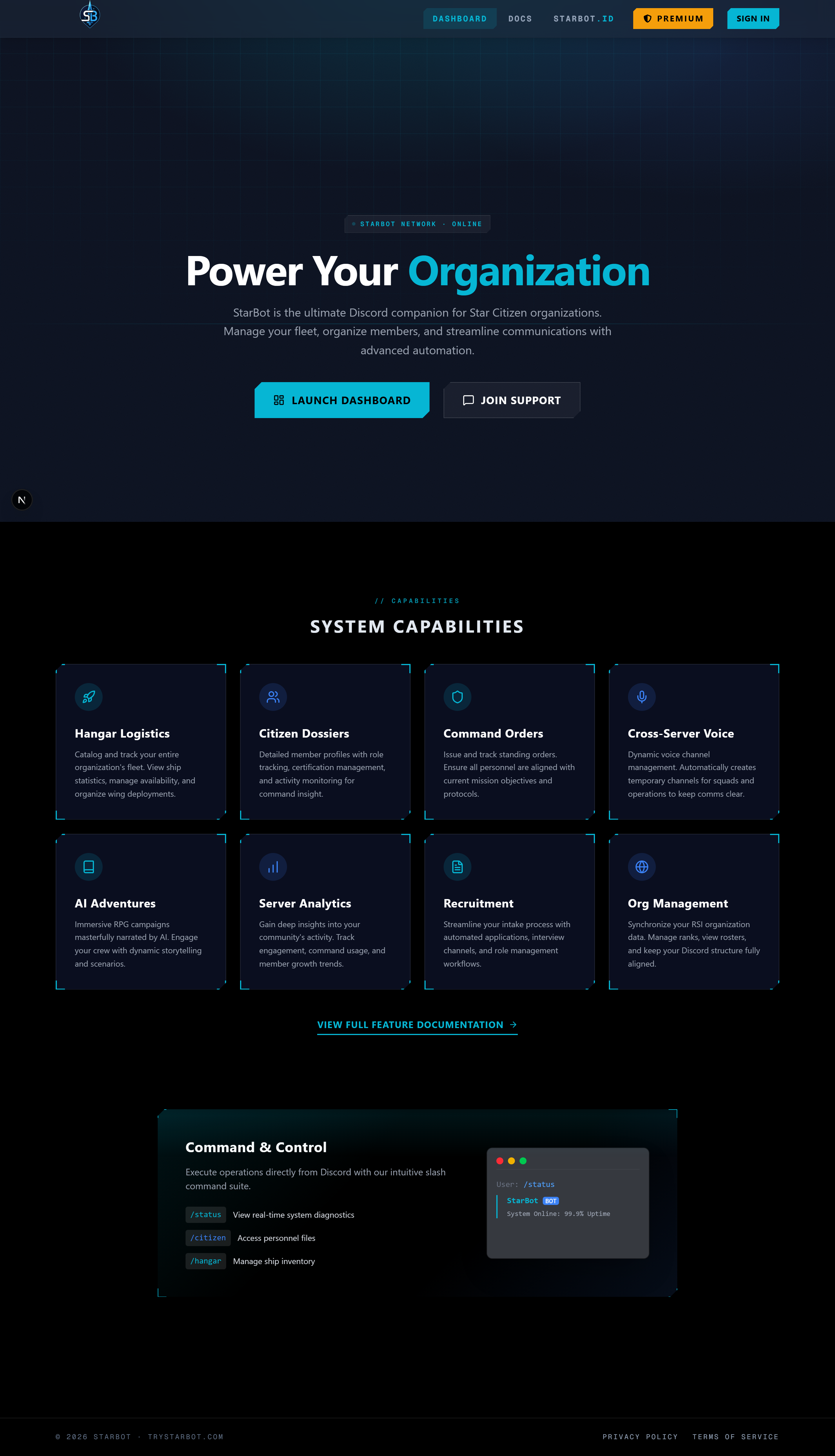
The Citizen ID API lets your website, org tools, or bot look up verified Star Citizen identities programmatically. Verify once with StarBot, and any community can confirm "this Discord user really owns this RSI handle" — no re-verification, no scraping RSI yourself.
It's a small, read-only REST API: two endpoints, API-key auth, JSON responses. Only profiles their owners chose to make public are returned, and only the fields they chose to share.
This guide covers getting a key and making your first calls. The full endpoint documentation — response schema, error codes, and field-by-field details — lives at the Citizen ID API reference. For how verification itself works, see Public Citizen ID and Citizen Verification.
API keys
Keys are created and managed on the /developers page. Log in with Discord, give the key a name (e.g. "org website"), and click Create.
The full key (it starts with cid_) is shown once, at creation. Copy it immediately and store it somewhere safe — afterwards the page only shows the key's prefix. Lose it, and the fix is simple: revoke the old key and create a new one.
A few key facts:
- You can hold up to 10 keys per account — one per integration is a good habit, so you can retire them independently.
- Revoke kills a key instantly; requests using it start failing on the next call.
- Requests are rate-limited to 60 per minute per key. Over the limit you'll get
429with aRetry-Afterheader.
- 1Open /developers and log in with Discord if prompted.
- 2Name your key after the integration that will use it, then click Create.
- 3Copy the full
cid_...key from the one-time reveal and store it in your app's secret store — never in client-side code or a public repo. - 4Send it as a Bearer token on every request:
Authorization: Bearer cid_....
Endpoints
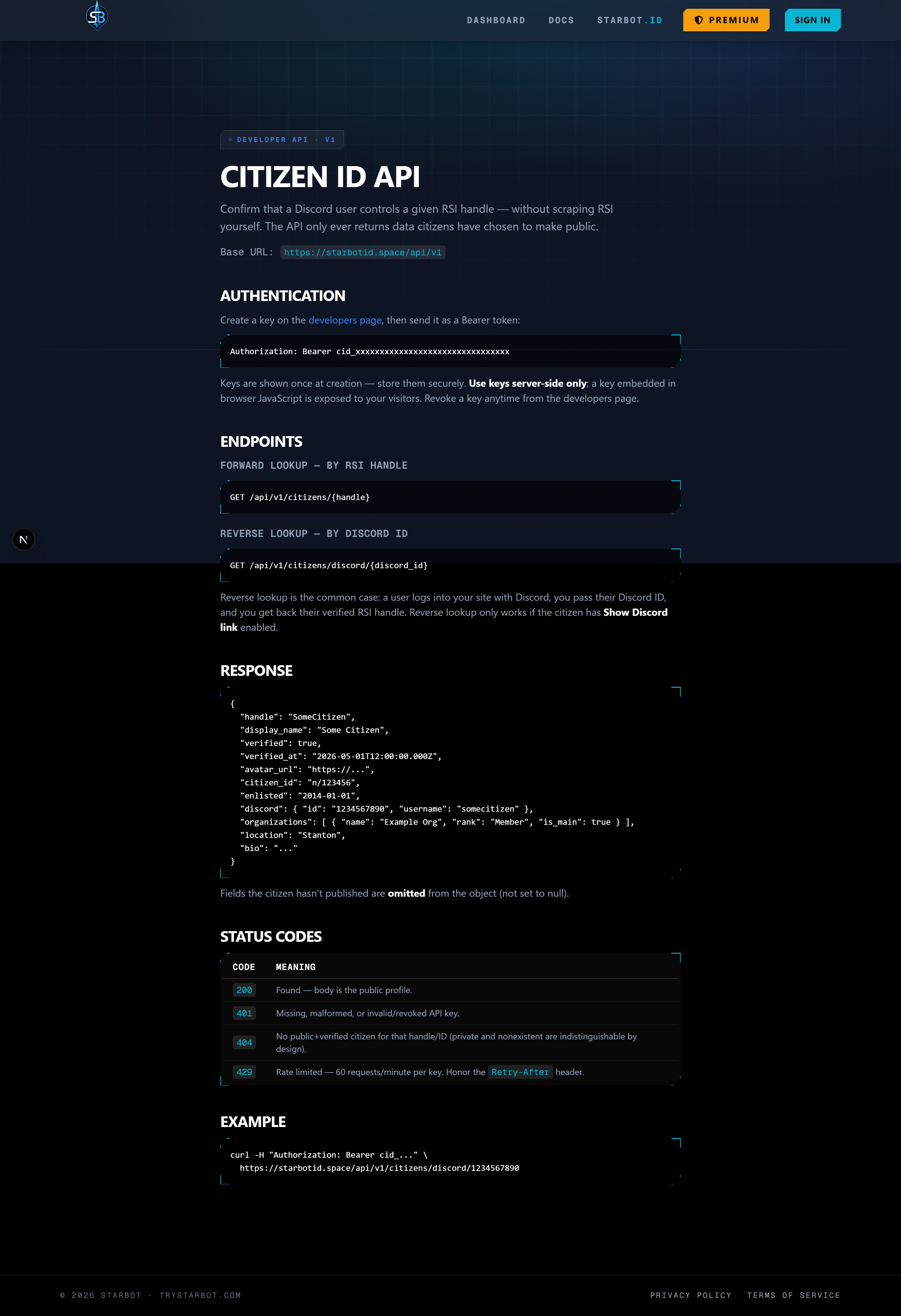
Both endpoints are GET, live under https://starbotid.space/api/v1, and require the Authorization header.
Forward lookup — by RSI handle:
GET /api/v1/citizens/{handle}
Handle matching is case-insensitive. Returns the citizen's public profile, or 404 if no verified, public citizen has that handle.
Reverse lookup — by Discord ID:
GET /api/v1/citizens/discord/{discord_id}
The common integration case: a user logs into your site with Discord, you pass their Discord ID, and you get back their verified RSI identity. Reverse lookup additionally requires the citizen to have Show Discord link enabled — a citizen who hid their Discord link can't be found by Discord ID.
Example
curl -H "Authorization: Bearer cid_your_key_here" \
  https://starbotid.space/api/v1/citizens/discord/1234567890
A successful response looks like:
{
  "handle": "SpaceTrucker",
  "display_name": "Space Trucker",
  "avatar_url": "https://robertsspaceindustries.com/…",
  "verified": true,
  "verified_at": "2026-05-01T12:00:00Z",
  "citizen_id": "123456",
  "enlisted": "2020-01-15",
  "discord": { "id": "1234567890", "username": "spacetrucker" },
  "organizations": [{ "name": "Example Org", "rank": "Captain", "is_main": true }],
  "location": "Terra",
  "bio": "Hauling since 2020."
}
Privacy behavior
The API only ever serves what the citizen consented to share:
- Public profiles only. Citizens who turned off their public profile — or who never verified — return
404 not_foundon both endpoints, exactly as if they didn't exist. - Hidden fields are omitted entirely. If a citizen hid their org, location, bio, or Discord link, those fields simply aren't in the JSON — they're not
null-hinted, so you can't infer hidden data from the shape of the response. - Reverse lookups respect the Discord toggle. Hiding the Discord link removes the
discordobject from forward lookups and makes reverse lookup return404.
A handle can be linked by multiple Discord users (anyone can run /citizen set with any handle), but only the real owner can verify it — they control the RSI bio. The API resolves verified citizens only, so an impostor's unverified link never shadows the real owner.
The reference page
The Citizen ID API reference is the canonical, always-current endpoint documentation — full response schema, every error code, and auth details in one place.
Troubleshooting
401 missing_or_malformed_api_key — The Authorization header is absent or not in the Bearer cid_... shape. Check for a missing Bearer prefix or a truncated key.
401 invalid_api_key — The key doesn't exist or has been revoked. Create a fresh key at /developers.
404 not_found on a citizen you know exists — The citizen is unverified, has a private profile, or (for reverse lookup) has hidden their Discord link. From the API's perspective these are indistinguishable from a missing citizen — by design.
429 rate_limited — You've exceeded 60 requests/minute on that key. Back off for the number of seconds in the Retry-After header, and consider caching lookups on your side.
Related
- Public Citizen ID — profiles, privacy toggles, and going public.
- Citizen Verification — the bio-token verification flow behind it all.
- Citizen ID API reference — the full endpoint documentation.